From phone photo to studio-quality in 60 seconds

You don't need a camera. You don't need a studio. You don't need Photoshop skills. Here's the exact workflow that thousands of brands use every day to create scroll-stopping product visuals.
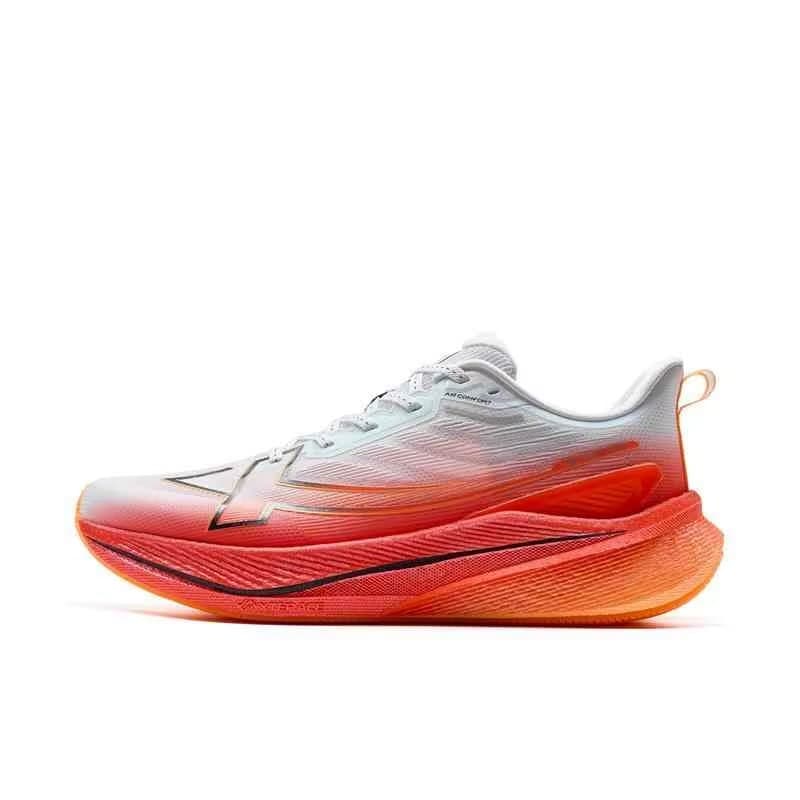
Step 1: Take a clean photo
Use natural light — near a window works perfectly. Place your product on a plain surface (white, black, or wood). Make sure it's in focus and centered. That's it. No tripod, no ring light, no diffuser. Just your phone and a window.
Step 2: Upload to Disoya
Drop your photo into the generator. The AI automatically detects your product, removes the background, and analyzes shape, texture, colors, and materials. This happens in about 2 seconds.
Step 3: Choose your style
Want a minimalist marble surface? A lifestyle outdoor scene? A luxury studio look with dramatic lighting? Select a style preset or write a custom prompt describing exactly what you want. The AI prompt assistant can also suggest ideas based on your product category.
Step 4: Generate
Hit generate. In 15-20 seconds, you get multiple high-resolution options at 2K or 4K. The lighting, shadows, and reflections are all physically accurate — generated to match the scene naturally. Pick your favorite or generate more variations.
Step 5: Add captions and hashtags
Disoya generates platform-optimized captions in your brand voice, plus trending hashtags tailored to your product category. Edit them or use them as-is — they're already optimized for engagement.
Step 6: Export and post
Choose your format: square for Instagram feed, 9:16 for Stories and Reels, 16:9 for Facebook and LinkedIn. Everything is sized, optimized, and ready to publish. The entire workflow takes under 60 seconds.
What used to require a photographer, a studio, and a content writer now happens in one tool, on your laptop, whenever you need it. That's the future of product content — and it's already here.